This article will describe using the new integrated Credit Card Processing and NEW SETTINGS
ULTIMATE:
There are several new settings which should be reviewed prior to beginning using GroundPay as your CC processing.
These can be found under the FT MENU, SYSTEM GLOBAL SETTINGS and the GroundPay Settings Tab.
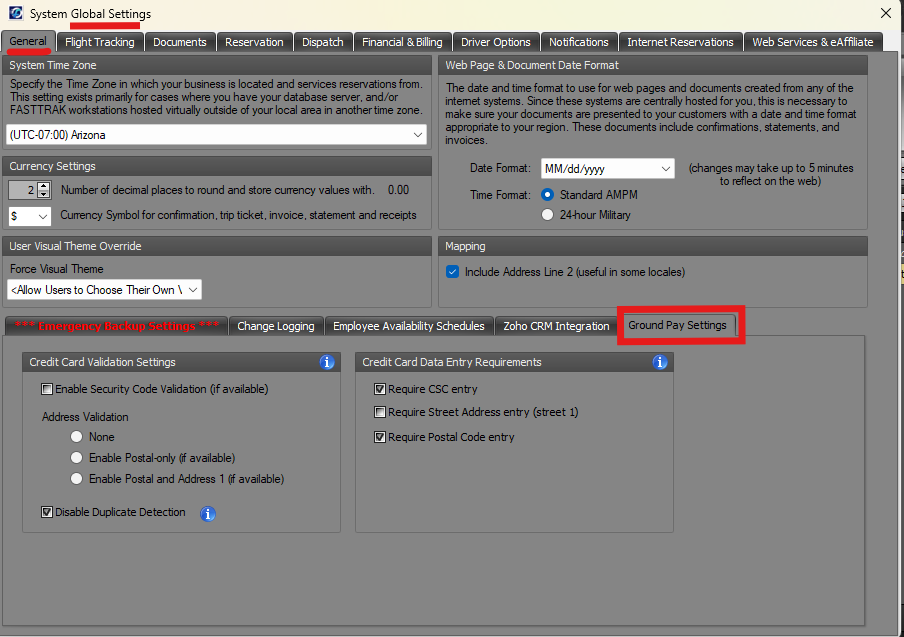
There is two sections to consider prior to charging cards: CREDIT CARD VALIDATION SETTINGS and CREDIT CARD DATA ENTRY REQUIREMENTS.
CREDIT CARD VALIDATION SETTINGS is which items are verified when submitting a charge. If any of the options are selected and they do not match the CC holder information the charge will be declined.
CREDIT CARD DATA ENTRY REQUIREMENTS is which items you will require when a NEW CC is entered to your system.
NOTE: It is recommended that at a minimum SECURITY CODE and POSTAL CODE is required. These are the two most important parts when submitting charges to lessen the likelihood of charge backs.
Keep in mind these settings may be changed later.
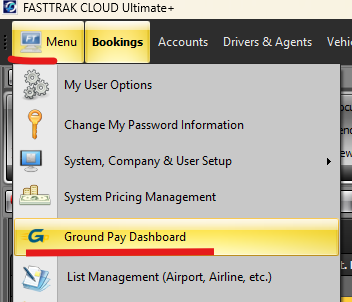
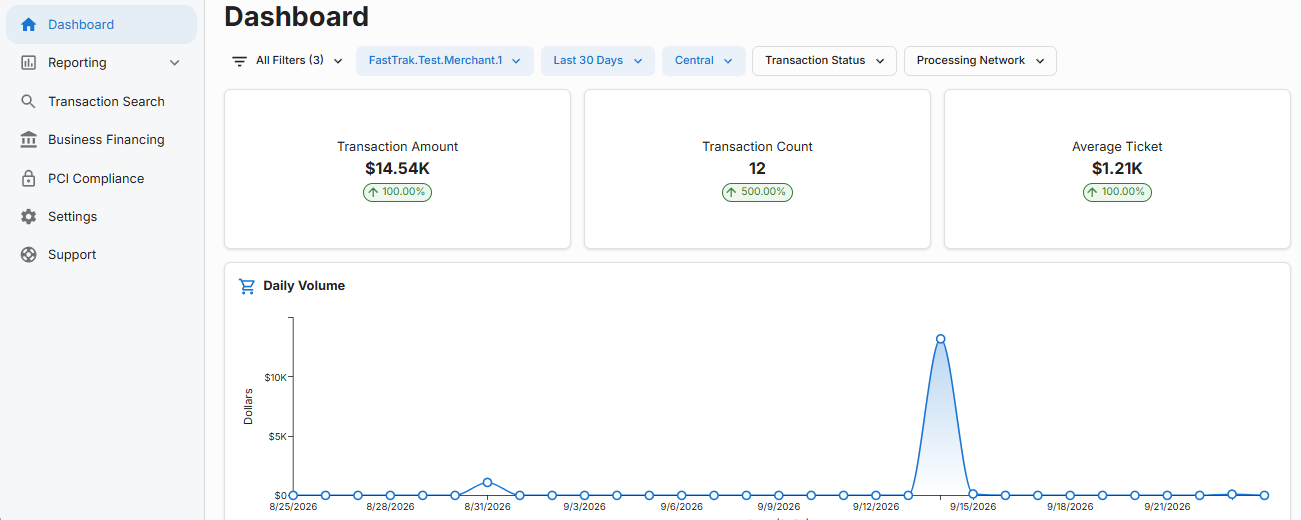
Another NEW feature you will see is being able to access the GroundPay Dashboard directly form the program. NOTE: This is only accessible by users who have an ADMIN profile.
The Dashboard will be where you will have access to all reporting and search capabilities for all charges you have submitted through the GroundPay.